
You can visually differentiate a factor’s levels by applying a background colour to each level.
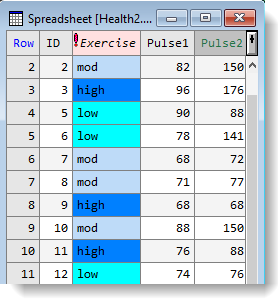
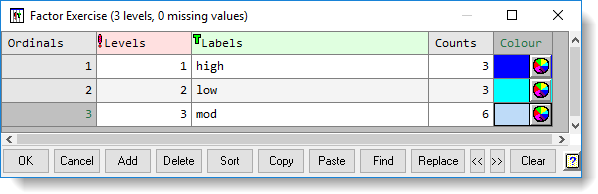
- Place the cursor in a factor column, then from the menu select Spread | Factor | Edit Levels and Labels.
- Each level has a colour wheel. Click a colour wheel
 to open the colour palette.
 - Set colours for each level as required then click OK.
If you make a mistake or want to change a colour simply click the colour wheel again to make changes.
Deleting all colours
- To delete all colours, place the cursor in the colour column and click Clear.